
MDSL : Innovative Telecom Expense Management Solution
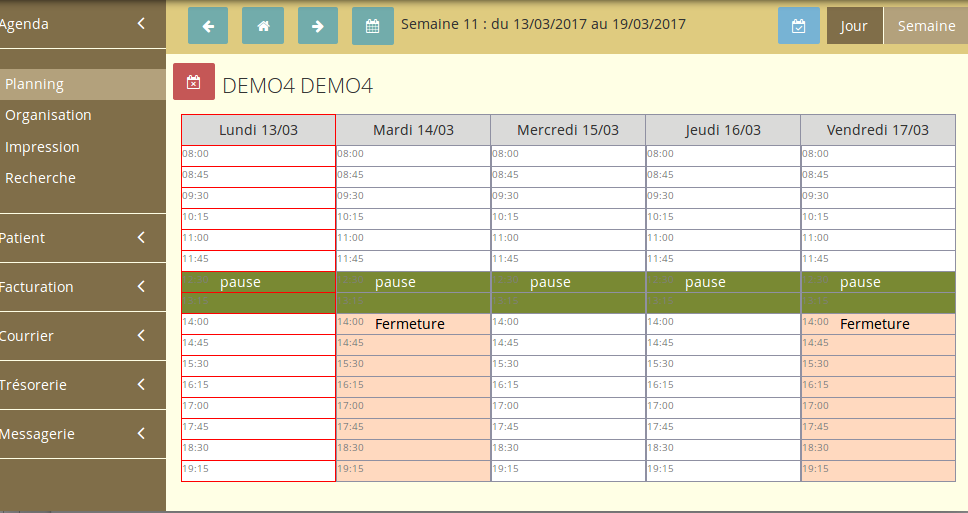

MDSL: in summary
What are the main features of MDSL?
Comprehensive Cost Management
MDSL offers an extensive suite of tools to streamline and manage telecom costs, ensuring businesses can maintain control over their telecommunications expenditures.
- Automated invoice processing to minimise errors and speed up approvals
- Detailed expense categorisation for improved budget tracking
- Real-time insights and analytics to identify cost-saving opportunities
Advanced Reporting and Analytics
This feature provides businesses with powerful reporting capabilities, enabling them to glean actionable insights and make informed decisions about their telecom usage and spending.
- Customisable reports that align with specific business needs
- Visual dashboards for easy data interpretation
- Predictive analytics to forecast future spending trends
Seamless Integration
MDSL ensures smooth integration with existing enterprise systems to provide an uninterrupted user experience. Its compatibility with other platforms ensures companies can easily incorporate the software into their current infrastructure.
- Compatibility with major ERP and finance systems
- APIs for custom integrations
- Data synchronisation that prevents siloed data issues
MDSL: its rates
Gestion de patientèle
€15.00
/month /user
Agenda et RDV en ligne
€8.00
/month /user
Permanence téléphonique
€11.00
/month /user
Clients alternatives to MDSL

Enhance team collaboration, streamline communication and improve productivity with this collaborative platform software.
See more details See less details
With features such as real-time messaging, project management tools, and file sharing capabilities, this software allows teams to work efficiently and effectively. Collaborate seamlessly with remote teams and clients while keeping all communication in one place.
Read our analysis about AcollabBenefits of Acollab
Quick and intuitive onboarding for everyone
Data security and privacy

This software helps you organise your schedule and manage your time efficiently. You can create and edit events easily, set reminders, and share your calendar with others.
See more details See less details
With this software, you can view your schedule by day, week, or month. You can also add attachments to events, such as documents or photos. Additionally, you can integrate your calendar with other apps and receive notifications for upcoming events.
Read our analysis about Google Calendar
Efficiently manage schedules and appointments with this versatile agenda software.
See more details See less details
With its user-friendly interface and multiple calendar views, Teamup simplifies collaboration and scheduling for teams of any size. Its customizable features and powerful integrations make it a top choice for businesses and organizations worldwide.
Read our analysis about Teamup Appvizer Community Reviews (0) The reviews left on Appvizer are verified by our team to ensure the authenticity of their submitters.
Write a review No reviews, be the first to submit yours.